
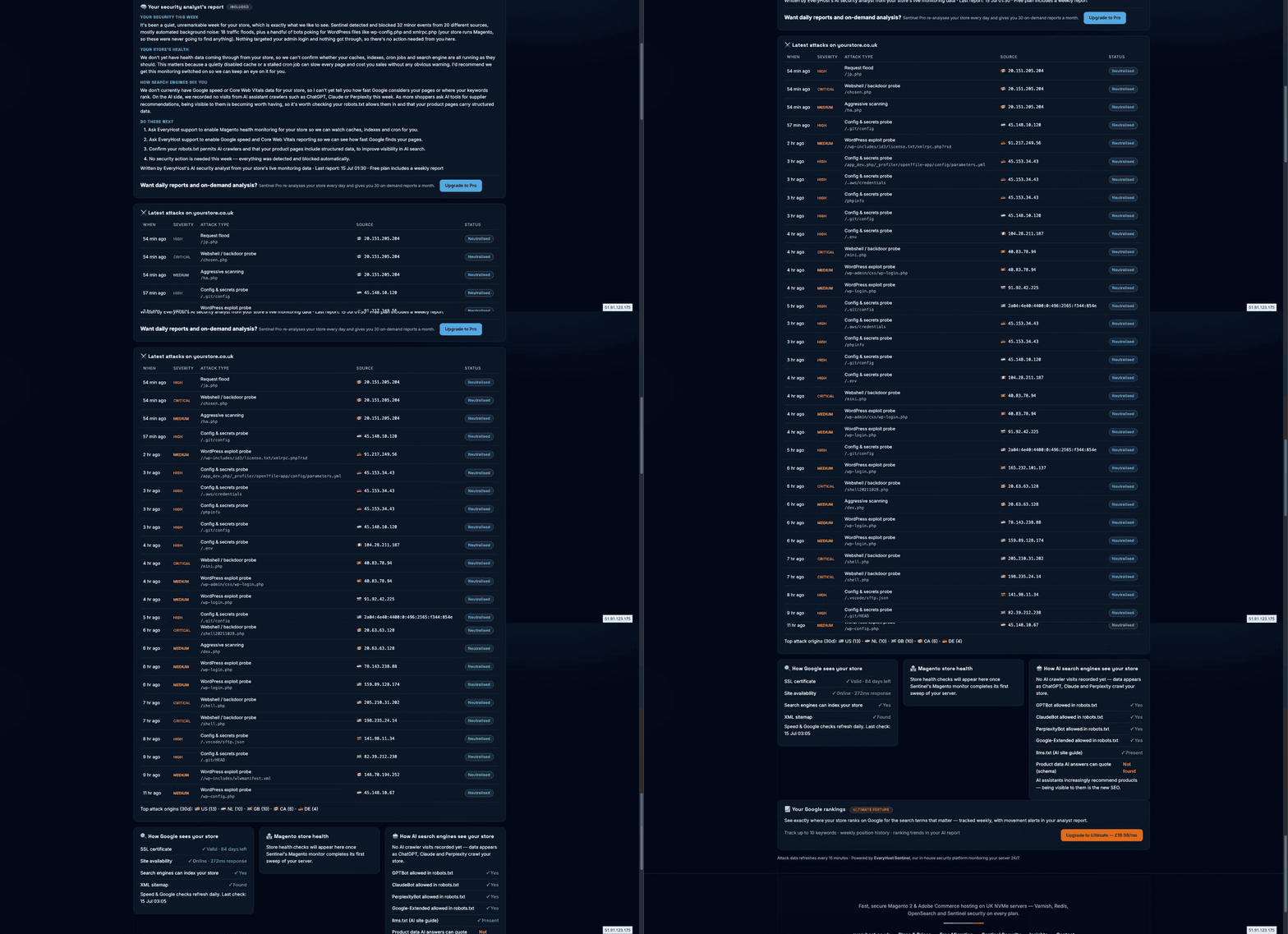
Security you can actually see
Since we launched Sentinel, our in-house security platform has been watching every store we host, around the clock, classifying hostile requests, scoring attackers and neutralising threats. The one thing it didn't do was show you any of it.
That changes today. The new Security & Performance page in the client area puts your store's monitoring on screen. No agency report to wait for, no jargon-filled log export: just what hit your store, what it wanted, where it came from, and what state your store is in right now.
And it doesn't stop at security. The same dashboard tracks the things that quietly decide whether your store makes money: is Google able to index you, is your SSL valid, are your Magento caches and cron actually running, and can the AI assistants your customers increasingly shop with even see your products?
Every attack on your store, listed and neutralised
The attacks feed is the part most store owners stare at the longest, because most have never seen what actually hits an ecommerce site in a normal day. WordPress exploit probes against a Magento store. Bots hunting for .env files, .git folders and AWS credentials. Webshell and backdoor probes. Request floods. Each one timestamped, severity-rated, traced to its source country, and marked Neutralised.
A quiet week on the dashboard we're showing here still logged 49 attacks in 30 days from 33 unique sources. That's what "background noise" looks like on the modern internet, and it's why the feed exists. When something more serious than noise turns up, you'll see that too, along with what was done about it.
An AI security analyst that writes to you in plain English
The headline feature is the security analyst's report. It's written by AI from your store's live monitoring data, not a template, not a generic newsletter. It covers four things: what happened to your security this week, the state of your store's health, how search engines and AI crawlers currently see you, and a short "do these next" list you can act on.
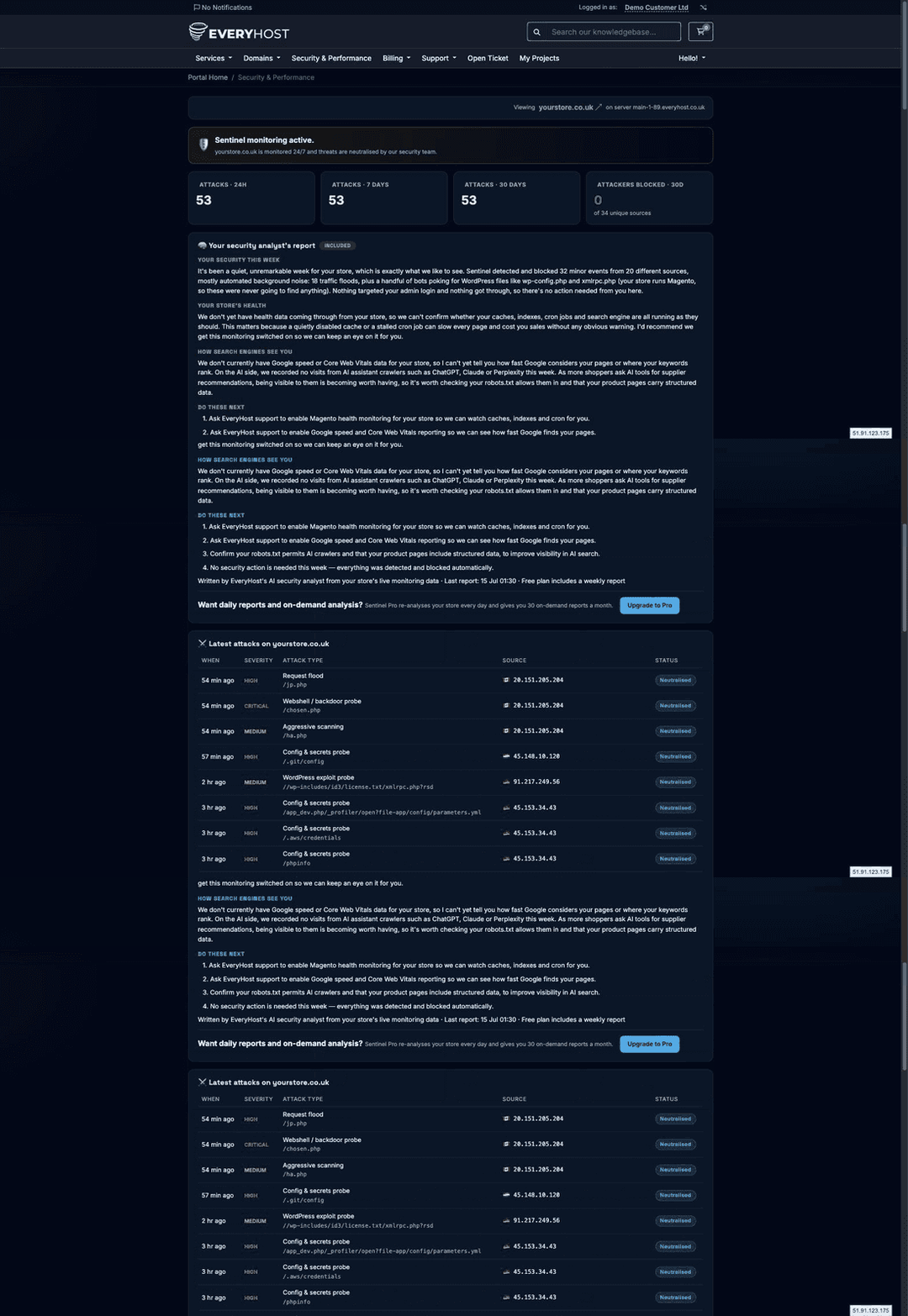
Notice the tone in the example above: "It's been a quiet, unremarkable week for your store, which is exactly what we like to see." When there's nothing to worry about, it says so and tells you why. When there is (a targeted attack, a stalled cron, a cache switched off) it explains what it means for your revenue and what to do, in order.
Every customer gets a fresh report weekly, free. If you want the analyst re-reading your store every day, plus the ability to run a fresh analysis on demand whenever something feels off, that's what Sentinel Pro is for.
Google, Magento health, and the new SEO: AI visibility
Below the attacks feed sit three panels that watch the commercial side of your store:
- How Google sees your store: SSL certificate validity and days remaining, site availability and response time, whether search engines can index you, and whether your XML sitemap is present. Refreshed daily.
- Magento store health: version, maintenance mode, caches, indexers, cron and order flow, checked read-only from inside your server. The silent killers (a disabled cache, a dead cron) show up here before they show up in your sales figures.
- How AI search engines see your store: whether GPTBot, ClaudeBot, PerplexityBot and Google-Extended are allowed in your robots.txt, whether you publish an llms.txt AI site guide, whether your product pages carry structured data AI answers can quote, and how often AI crawlers actually visit.
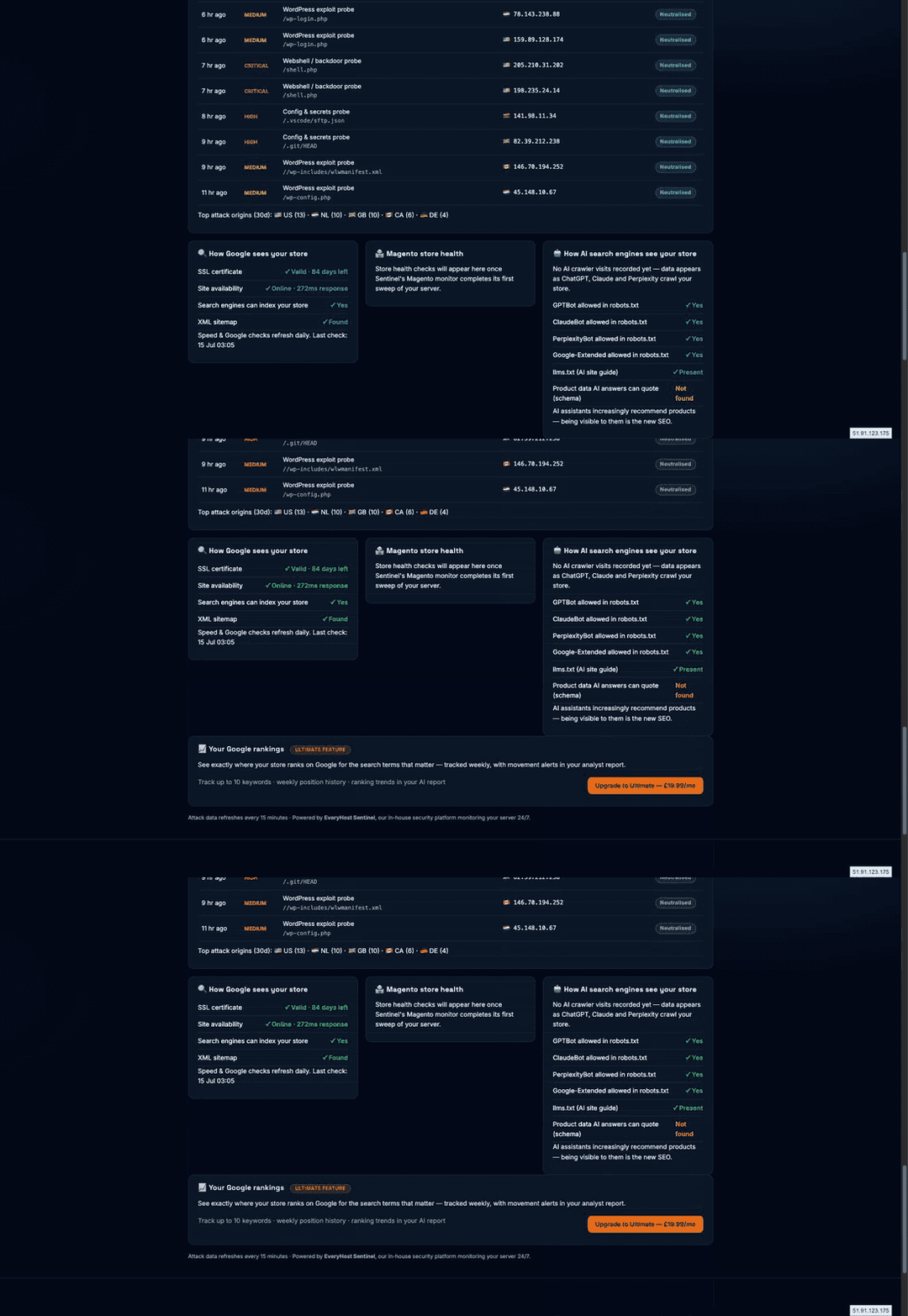
The AI-visibility panel deserves a word. More of your customers are asking ChatGPT, Claude and Perplexity "where should I buy X?" than ever before, and those assistants can only recommend stores they can crawl and understand. Being visible to them is becoming the new SEO, so the dashboard treats it like a first-class health check, not a novelty.
Free for everyone, two upgrades if you want more
Everything above is included with every EveryHost plan. Two optional tiers add depth for owners who want it:
Included
Free
- Full dashboard & live attacks feed
- Weekly AI analyst's report
- Google health & AI-visibility checks
- Magento store health monitoring
Sentinel Pro
£9.99/mo
- Everything in Free
- Daily AI analyst's report
- 30 on-demand analyses a month
Sentinel Ultimate
£19.99/mo
- Everything in Pro
- 60 on-demand analyses a month
- Google rank tracking: 10 keywords, weekly history & movement alerts in your report
The Ultimate tier's rank tracker answers the question every store owner types into Google in an incognito tab: "where do I actually rank?", tracked properly, week over week, with the movement folded into your analyst's report so you hear about a drop before your revenue does.
Upgrades are one click inside the dashboard itself. You'll see the options under your analyst's report and the rankings panel.
How it works (and what it never does)
Sentinel works from your server's logs and read-only server-side checks. Nothing is injected into your pages, no script is added to your checkout, and your visitors never touch it. Attack data refreshes every 15 minutes; Google and speed checks refresh daily.
The AI analyst's report is generated only from your store's monitoring data. Each report is built per-domain, so one customer's report can never contain another customer's information. And it's advice, not automation: it tells you (and us) what deserves attention, and our engineers remain the ones who act on your server.
Frequently Asked Questions
See what's been hitting your store
Hosted with EveryHost? Your dashboard is already live. Open Security & Performance in the client area. Not with us yet? Sentinel monitoring is included with every managed Magento hosting plan, and migration is free.